
Multi-provider AI for TIA Portal
TIA Portal AI: your provider, your model
Bring your own LLM
- Anthropic, OpenAI, Google, xAI
- OpenRouter, Mistral, DeepSeek & more
- No lock-in
Local & offline
- Ollama & LM Studio
- vLLM & SGLang
- Fully local
TIA-aware tools
- Project-wide context
- MCP client
- Custom tools
An agent that drives it all
- Full TIA tool access
- Export / import / edit
- Sub-agent delegation
Multiple parallel sessions
- Best-of-N (2-5 parallel)
- Isolated worktree sessions
- Compare & adopt
Generate & refactor
- SCL code generation
- Explain & refactor
- With confirmation
Inline completion
- Ghost text
- Tab accepts
- Choose a coder model
Enterprise clouds
- Azure OpenAI
- Vertex AI & Bedrock
- Cloudflare AI Gateway
The TIA Portal AI in action
Real screenshots from AnyAutomation Studio: chat, editor and unit tests working together.
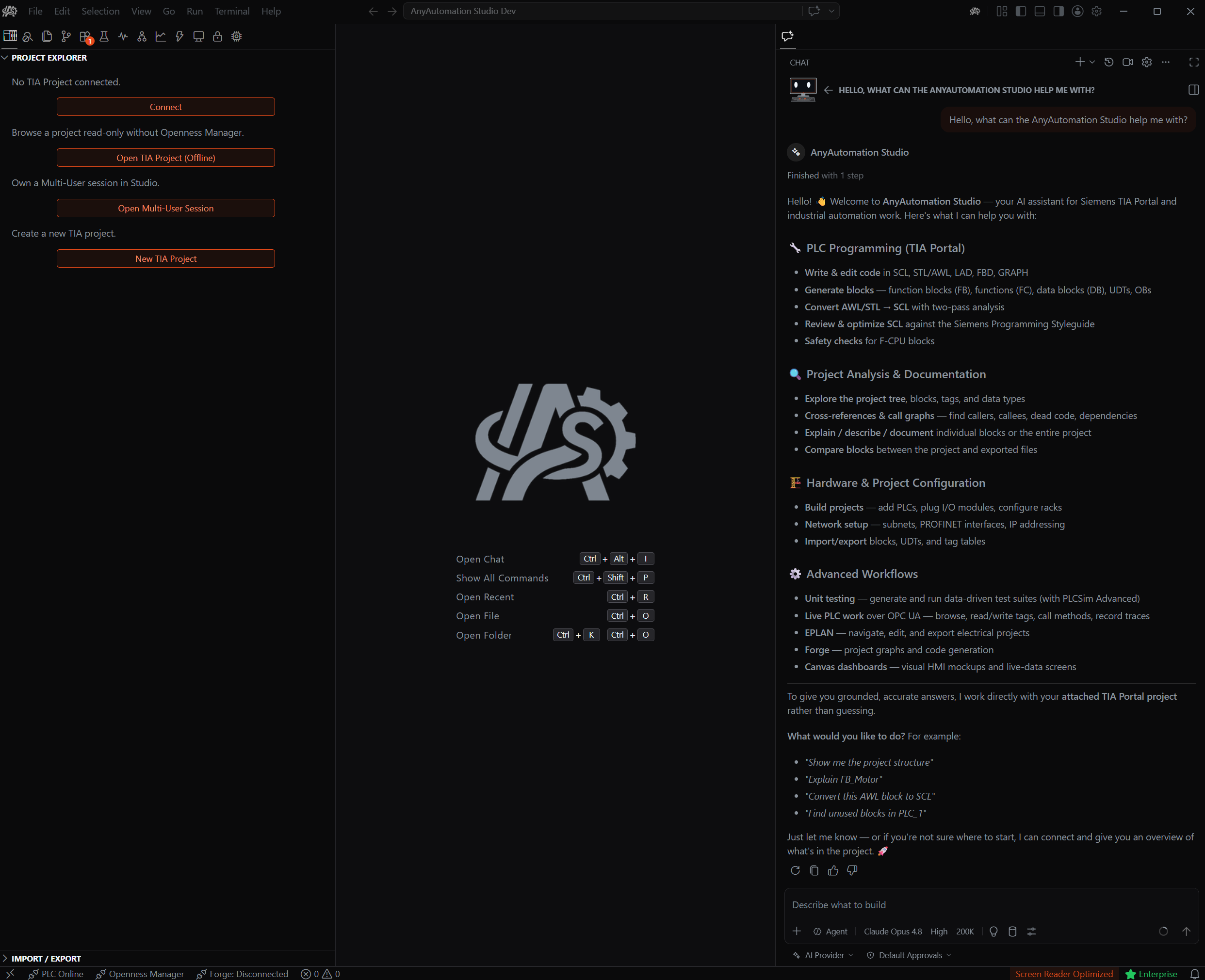
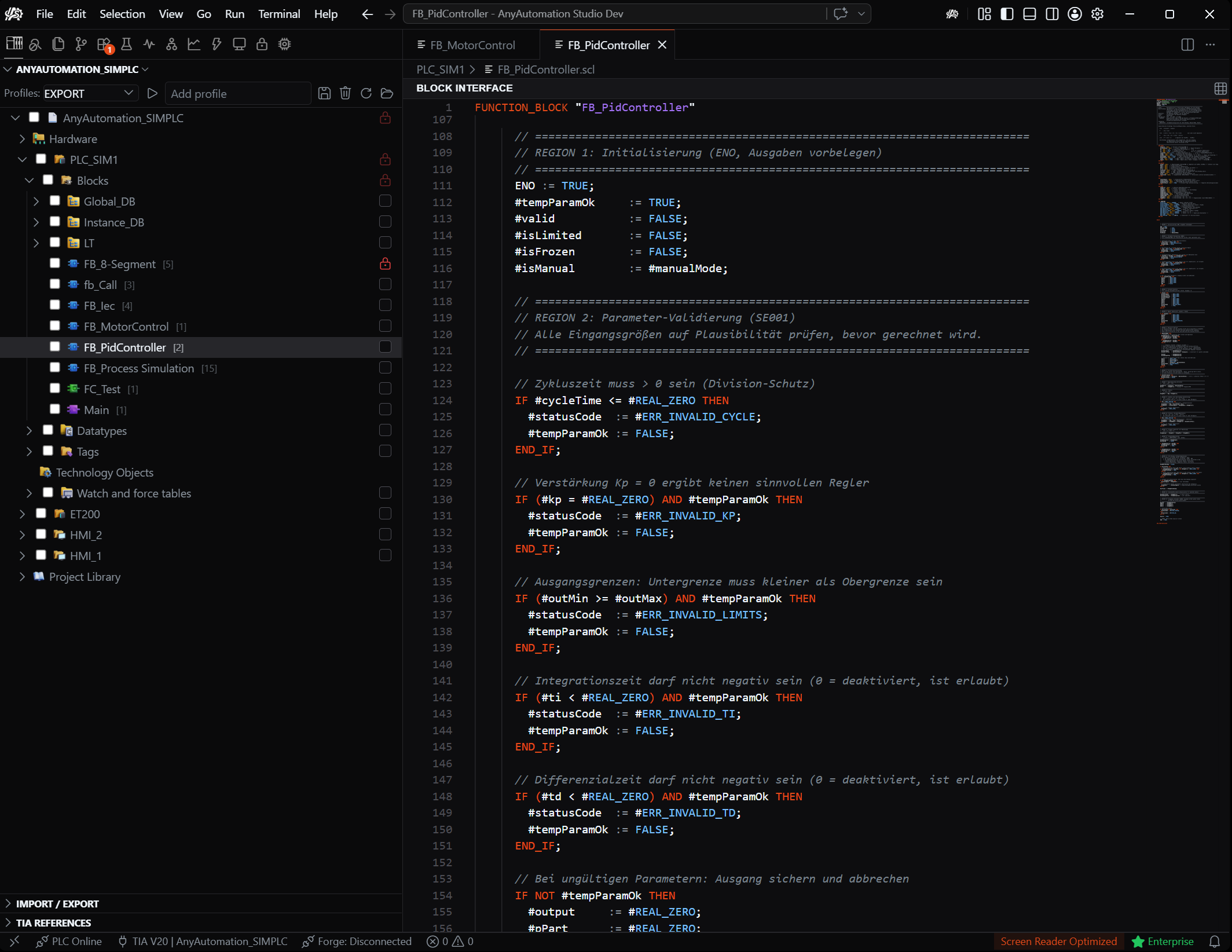
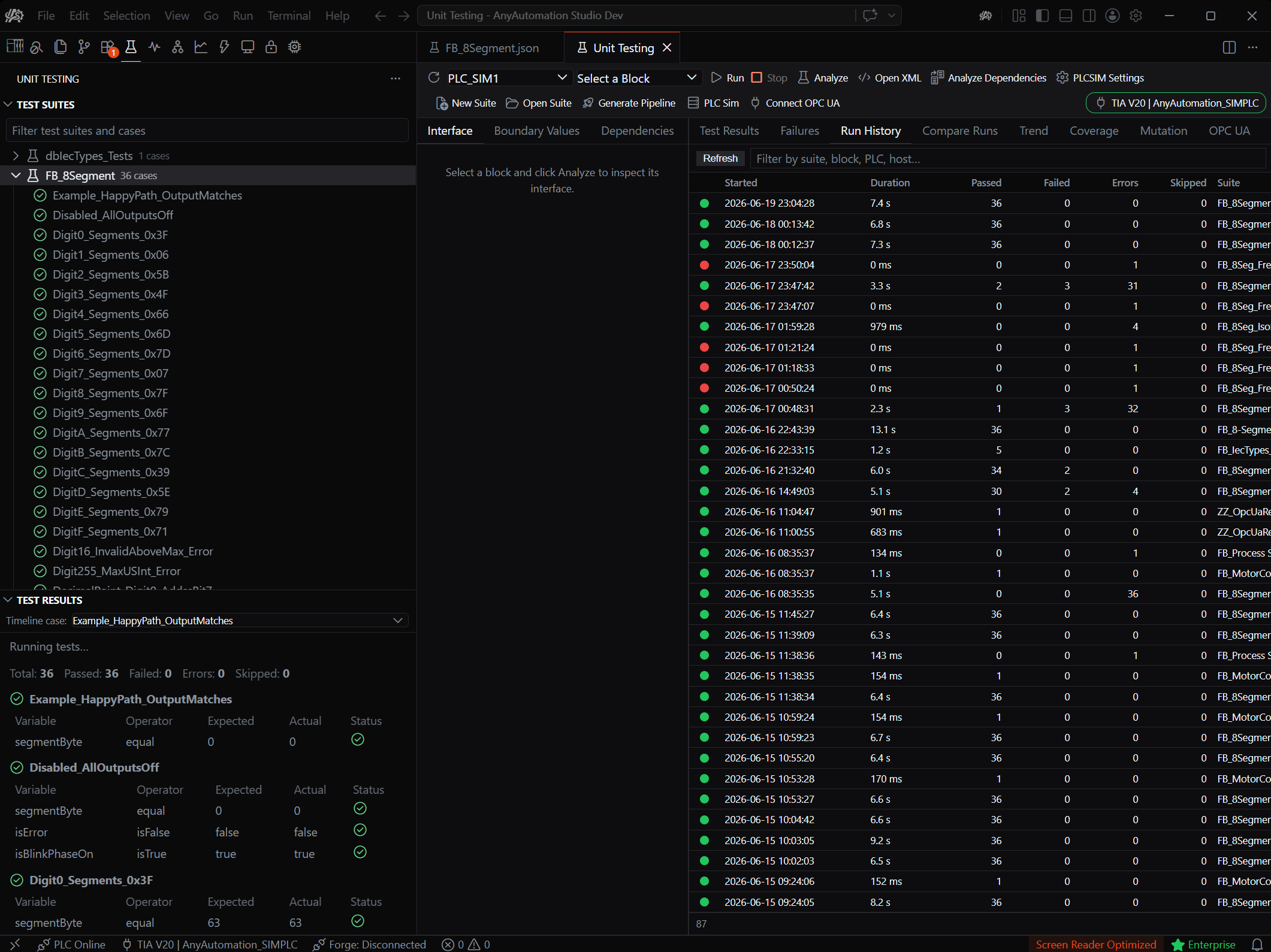
The assistant knows your project
Analyse and document program logic, generate and convert SCL/STL, debug: the chat works with project-wide context right in the IDE.
- Project context
- Code gen
- Documentation
AI for TIA Portal: guide
A TIA Portal AI assistant supports PLC programming with project-wide context: generate SCL blocks, explain and refactor code, and reach the TIA project through MCP tools. AnyAutomation Studio is multi-provider: you choose the LLM instead of being tied to one vendor. The connection runs over the official Siemens Openness API and works with TIA Portal V15 through V21, which includes legacy projects too old for Siemens' own AI tooling. What AI delivers in PLC programming in general is in the guide to AI for PLC programming; all tools side by side in the comparison of AI tools for PLC programming.
Your provider, your model
Instead of one hard-wired vendor, Studio connects the model of your choice: login providers like Anthropic (Claude), OpenAI (GPT), Google (Gemini) and xAI (Grok), cloud providers by API key (OpenRouter, Mistral, Groq, DeepSeek and more), enterprise clouds (Azure OpenAI, Google Vertex AI, AWS Bedrock) and local servers (Ollama, LM Studio, vLLM, SGLang). You bring your own key, and we don't route requests through our server.
Local, private, no lock-in
For maximum confidentiality, inference runs fully local via Ollama & co. Your TIA projects never leave the machine. That is the difference from a single-vendor copilot tied to one provider: no lock-in, free model choice, a local option. More in AI integration and AI chat. Verify generated code straight away with unit tests and bring it into the project over Openness.
Agentic and parallel
The assistant is not just a chat window: as an agent it drives the whole project through the full tool-set (read, generate, export, import and edit blocks, plus EPLAN, live PLC connections and Forge) and can delegate sub-tasks to specialised sub-agents. And you work on several things at once: Best-of-N runs the same prompt in parallel across several isolated sessions, you compare the results and adopt the best. A vendor-bound copilot offers neither. How the assistant works day to day is covered in detail on the TIA Portal AI assistant page.
What AI can do in TIA Portal today
Concretely, without marketing fog. First, understand and document: the assistant reads blocks from the project (SCL, STL or graphical sources), explains unfamiliar program logic and produces documentation, the most common entry point on legacy plants. Second, generate: a description ("FB for a conveyor with start/stop and an overload interlock") becomes an SCL block using your project's real tag names and data types, because the AI has project context. The full workflow with prompts lives at generate SCL with AI. Third, refactor and convert: rework existing code, migrate STL legacy to SCL, enforce naming conventions. Fourth, verify: the AI writes SCL unit tests for the generated block and runs them against PLCSIM Advanced or a real S7 PLC.
The workflow never changes: the AI proposes, you see the diff, and only after your confirmation does anything enter the project over Openness. No silent overwrites.
Which model for which task
Multi-provider also means the right model per task. Complex blocks and refactorings deserve a strong reasoning model (Claude, GPT, Gemini in their large variants). Inline completion while typing is about latency, so a fast coder model fits there. And confidential plants run a local model via Ollama, LM Studio, vLLM or SGLang, with no cloud at all. A detailed guide with concrete recommendations is on the blog: Which LLM for TIA Portal?
Honest limits
An LLM does not replace a PLC programmer, and generated code does not belong on a plant unreviewed. Language models occasionally invent block names or hardware details, especially without project context, and safety functions (F-technology) remain manual work with formal acceptance. That is exactly why the Studio workflow is built the way it is: project context instead of blind flight, confirmation before every import, diff preview and unit tests as the safety net. Using AI in TIA Portal seriously means treating it like a fast junior: plenty of output, always reviewed.
TIA Portal AI compared
Siemens offers two generations of its own AI tooling: the chat-based Industrial Copilot and, since 2026, its agentic successor, the Eigen Engineering Agent. The core differences to Studio are model choice, data flow and version coverage:
| AnyAutomation Studio | Siemens Industrial Copilot | Eigen Engineering Agent | |
|---|---|---|---|
| Model choice | Free: Claude, GPT, Gemini, 20+ providers | Fixed | Fixed |
| Local inference | Yes, via Ollama & co. | Cloud (on-prem variant announced) | Cloud |
| TIA versions | V15-V21 | Newer versions (V19+) | V19-V21 |
| Pricing model | From CHF 10/month, your own API key or local | Subscription via Siemens Xcelerator | Subscription via Siemens DEX |
The full comparison across all criteria is on the Siemens Industrial Copilot alternative page.
Frequently asked questions
Which AI providers are supported for TIA Portal?
AnyAutomation Studio is multi-provider: Anthropic (Claude), OpenAI (GPT), Google Gemini, xAI (Grok), cloud providers like OpenRouter, Mistral, Groq and DeepSeek, enterprise clouds (Azure OpenAI, Vertex AI, AWS Bedrock) and local servers (Ollama, LM Studio, vLLM, SGLang).
Can I use Claude, GPT or Gemini in TIA Portal?
Yes. All three are supported, via login or your own API key. You choose the model per task in the chat's model picker.
Does the AI run locally or offline?
Yes. Via Ollama, LM Studio, vLLM or SGLang, inference runs entirely on your own hardware, without any cloud.
Are my TIA projects uploaded to the cloud?
No. Studio works locally; with cloud providers you bring your own API key and requests don't go through our server. For fully local inference, use a local server.
Do I need my own API key?
For cloud providers you bring your own key or login. Local models need no key at all. The AI chat is included from the Basic plan.
What is the best TIA Portal AI?
It depends on your requirements. Siemens Industrial Copilot and the Eigen Engineering Agent are tied to the Siemens cloud and newer TIA versions. AnyAutomation Studio is the multi-provider alternative: free model choice (Claude, GPT, Gemini or local models via Ollama), project-wide context and a local option where projects never leave the machine. A direct comparison lives at Siemens Industrial Copilot alternative.
Which TIA Portal versions does the AI work with?
TIA Portal V15 through V21, over the official Siemens Openness API. That covers legacy projects too old for Siemens' own AI tooling (V19+).
Can the AI handle STL or graphical blocks?
The assistant reads block sources from the project, including STL and graphical languages, and generates and converts SCL and STL. A typical case: have STL legacy code explained, then migrate it to SCL step by step.
What does AI for TIA Portal cost?
The AI chat is included from the Basic plan (CHF 10 per month, CHF 110 per year). Add your own API key with the model provider, or run a local model with no key at all. Try it free for 30 days, no credit card.
How is this different from ChatGPT in the browser?
ChatGPT does not know your project: you copy code back and forth, and tag names and data types rarely match. An integrated assistant works with real project context and brings code into the project over Openness, with confirmation. Details on the blog: ChatGPT for TIA Portal.